Unified Interface System Design
For MilliporeSigma Millicell®
A comprehensive interface ecosystem developed at MilliporeSigma, designed for both immediate implementation and future-proofing. The project provides consistent user experiences across desktop, mobile, and lab instruments, with key components already implemented in the current Millicell® Cloud platform
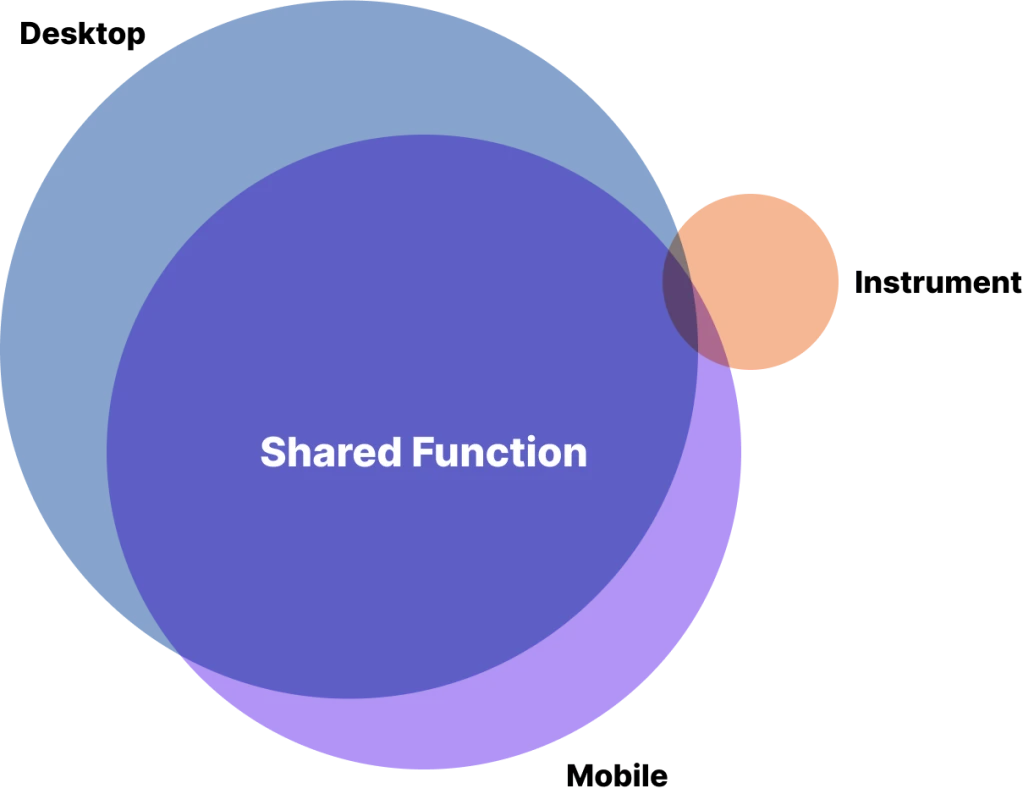
The unified interface system spans three interconnected platforms—desktop, mobile, and instrument—each optimized for distinct interaction methods while maintaining consistent functionality and seamless workflow transitions across the laboratory environment.
Note: The remote real-time control is a concept function outside near-future scope, added to push for more innovative unified UI solutions.

Desktop: Primary platform providing full functional depth and advanced capabilities

Mobile: Touch-optimized interface carrying most desktop functionality while serving as a bridge for remote instrument monitoring and control.
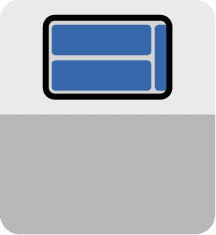
Instrument: Physical laboratory devices with integrated digital interfaces accessible through mobile platform connectivity for real-time operations.
Case1: Unified Design Language for Connected Laboratory Ecosystem
The design aims to maintain functional parity between desktop and mobile platforms while establishing visual language consistency across all three ecosystem components.
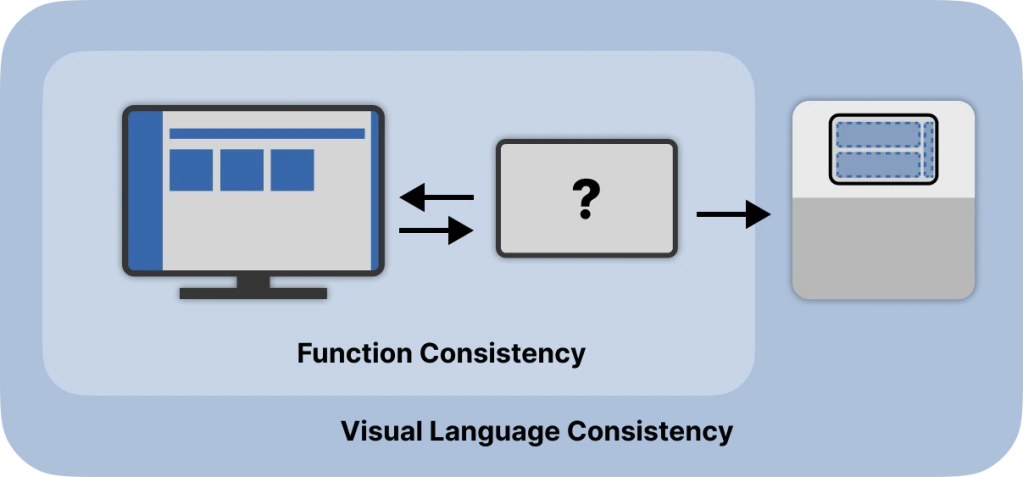
From Web UI to touch-based
Challenge 1:
Translating complex desktop interface to mobile while preserving existing information architecture for current user base
Challenge 2:
Need to optimize for laboratory environment usage patterns and touch interaction
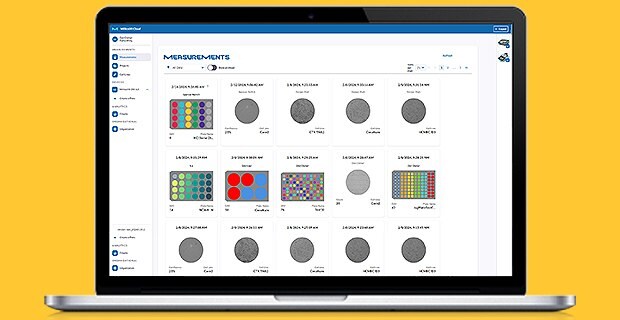
The desktop interface featured a three-column layout. This design made good use of screen space while keeping functions clear for mouse interaction.
Interface Architecture Adaptation
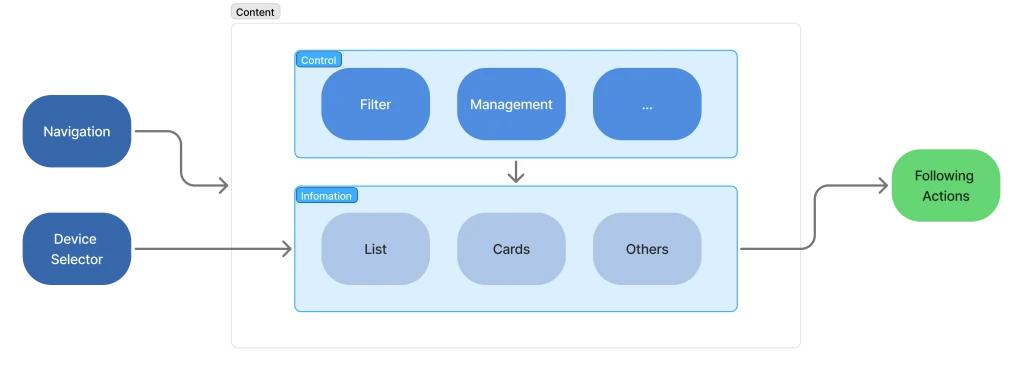
The desktop interface offers a parallel information structure that lets users access multiple layers of information at the same time. This helps users stay focused on a task while still accessing relevant device information and different content formats.
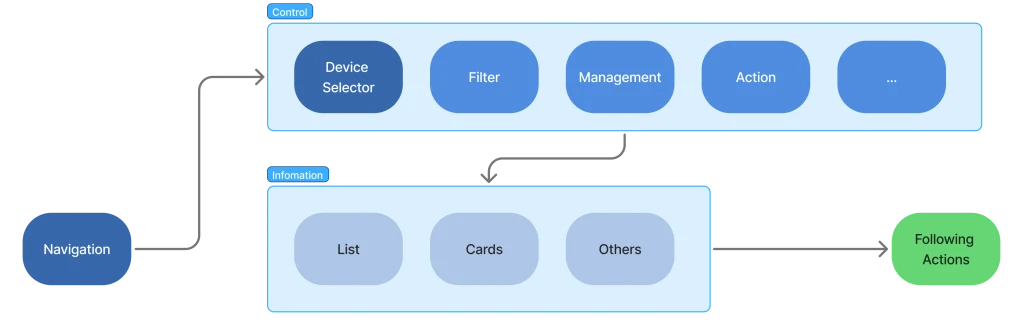
The mobile interface transforms the parallel information access into a sequential information hierarchy organized into three distinct layers - information, Navigation, and Control.
Interface Layout Adaptation
Two distinct scenarios that shaped the entire interface approach and decides the design criteria:
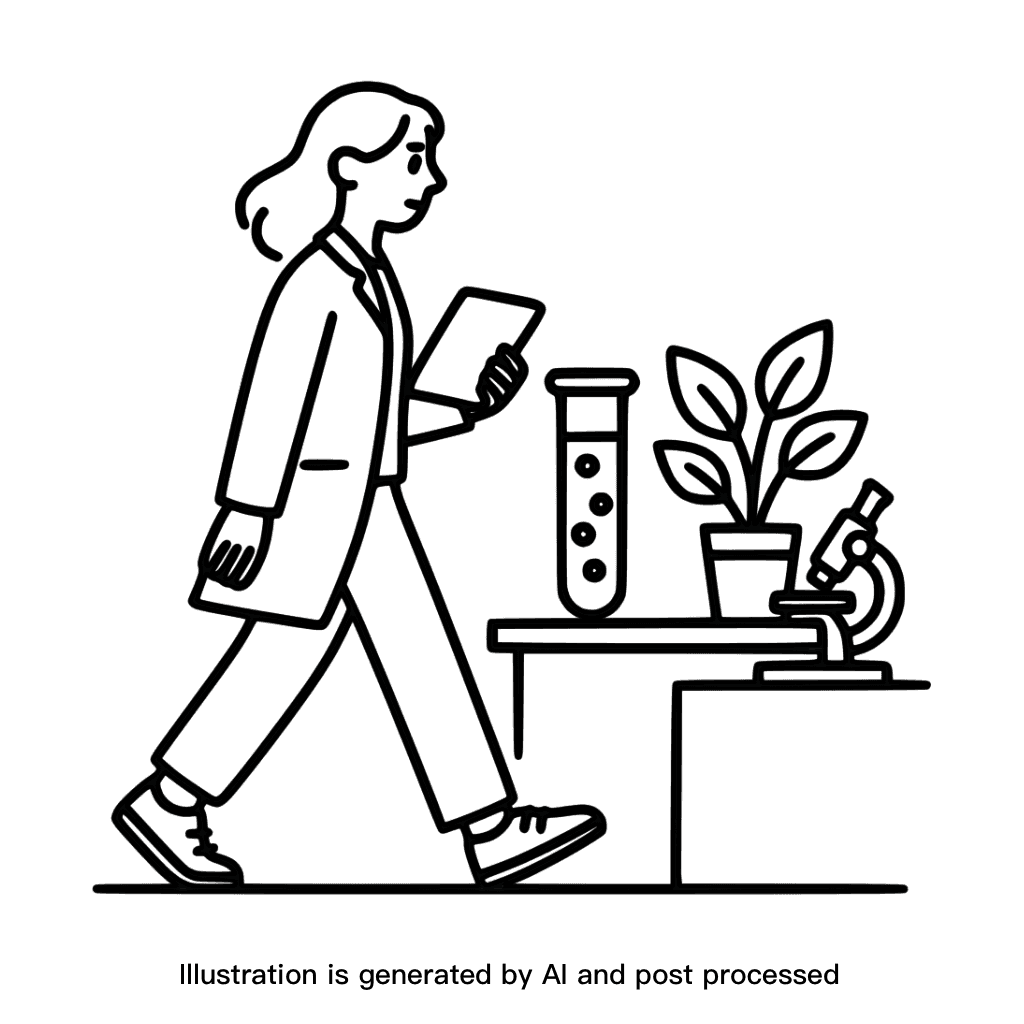
Carrying in Labs: Scientists carry the device as moving between workstation.

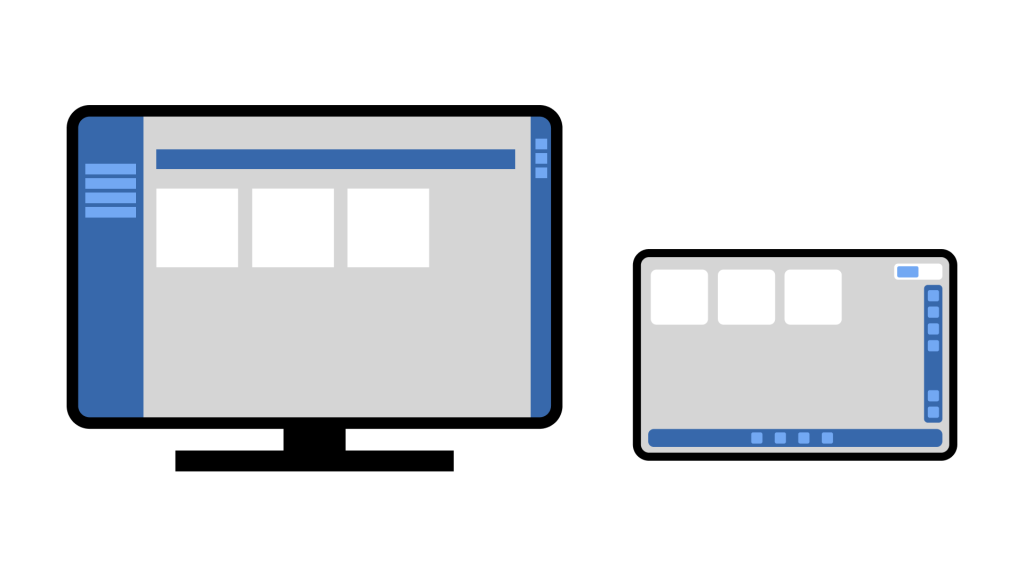
Desktop Placement: Scientists place devices on desktop during focused tasks rather than holding them handheld.
Design Insights
Information Architecture
Progressive Access
Transformed from simultaneous multi-layer interaction to step-by-step refinement with logically grouped controls and progressive disclosure
Information Depth
All desktop information stay accessible through clearer hierarchical relationships
UX
Display Size
Upon internal evaluation, compact form smaller than letter paper is preferred
Content
Interface must preserve desktop functionality and similar experience.
Input
Interface should be finger-touch-friendly.
Handiness
Adaptable to different handedness and cramped lab spaces.
Frictionless learning
Mobile interface maintains desktop’s visual language, layout, and information architecture while optimizing for touch interaction, minimizing learning cost for existing users.
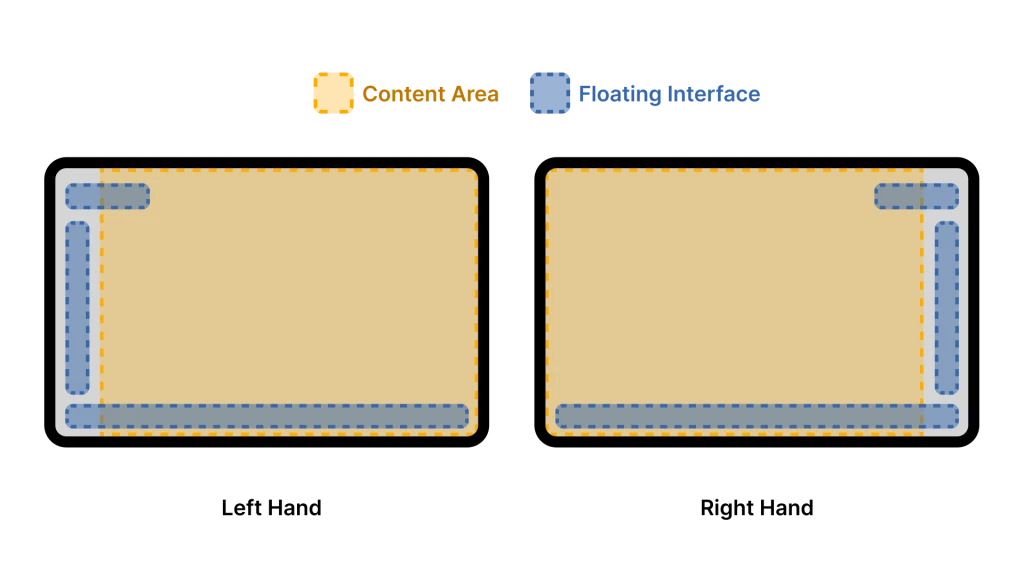
Adaptive Layout:
Interface features collapsible floating components for navigation and controls positioned on one display side, enabling easy handedness switching and modular development approach.
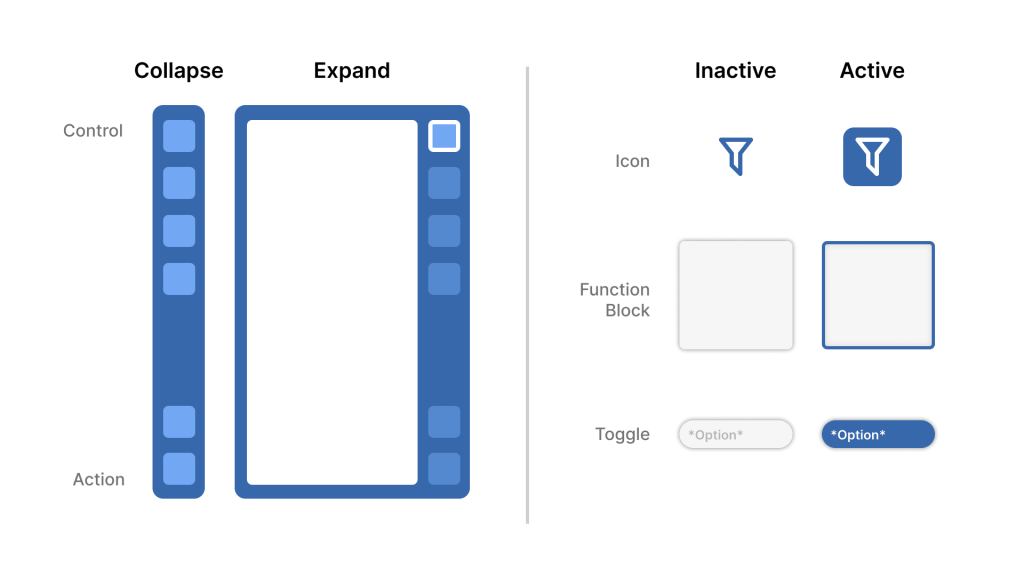
Context-Aware Control Panel:
Floating control bar organizes functions by priority (controls from top, actions from bottom) with distinctive active/inactive visual states to enhance touch interaction clarity.
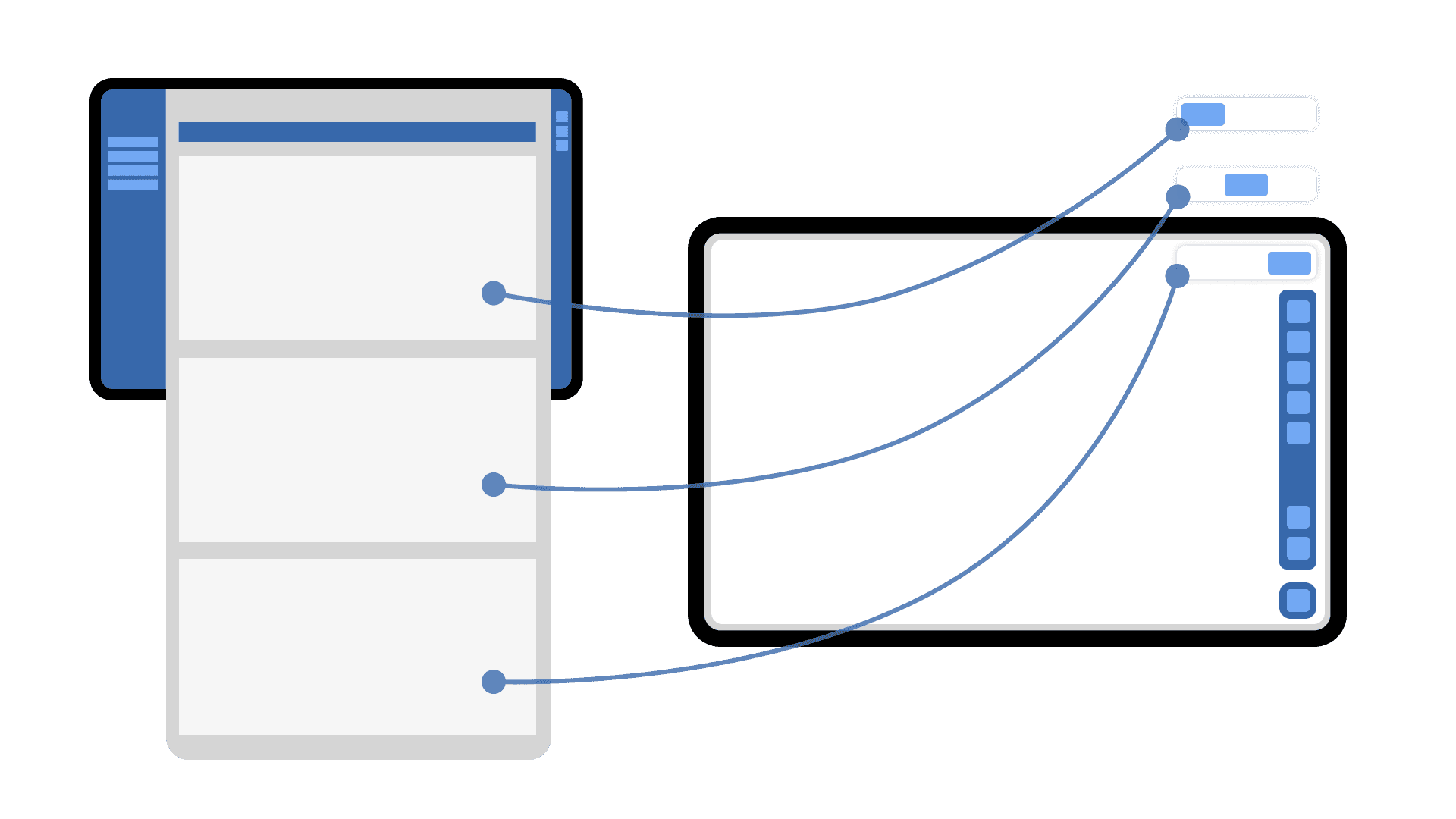
Context Splitter:
Eliminates scrolling conflicts by slicing multi-section web pages into discrete portals accessible through a floating top switch, preventing interference with data visualization interactions.
Case 2: Hybrid View
Please reach out for more disclosure.